.png?width=300&height=300&name=Untitled%20design%20(6).png)
This article explains how to turn the keypad (keyboard) beep on or off on a Valor payment terminal. Use these steps to silence the terminal for a quieter environment or to re-enable audible feedback for users who prefer the beep.
| From the Home screen, press the Menu button (center of the screen). | 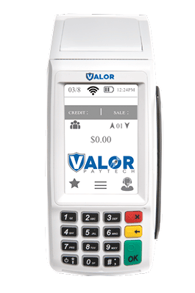 |
| Press the Page Down button until you reach the second page of the Main menu. | 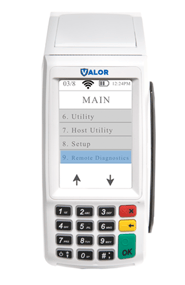 |
| Select Setup Menu. | 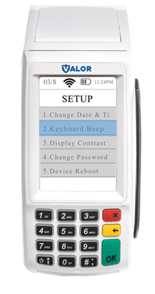 |
|
Choose the Keyboard Beep option. To disable the keypad beep, select No. To enable the keypad beep, select Yes. |
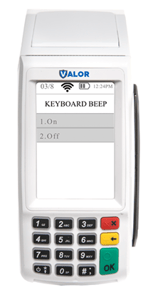 |