.png?width=300&height=300&name=Untitled%20design%20(6).png)
About
eClinicalWorks (eCW) is a leading, privately held healthcare IT company founded in 1999 that provides cloud-based Electronic Health Records (EHR) and Practice Management (PM) solutions. Serving over 180,000 providers and 1 million+ professionals globally, it offers AI-driven tools, including PRISMA for interoperability, Eva for virtual assistance, and Sunoh.ai for ambient documentation.
Website: eClinicalWorks
Important Notes
Once a payment flow has been built for a software, it becomes available to all users.
Marketing Demo Video
Browser Extension
POS+ Extension eClinicalWorks Demo Video
Integration Type
This integration requires the POS+ Browser Extension to be installed and active within your supported browser.
Installation
- Follow the instructions here: Browser Extension
- Open ECW in the Chrome browser. To do this, right click on eCW desktop app:
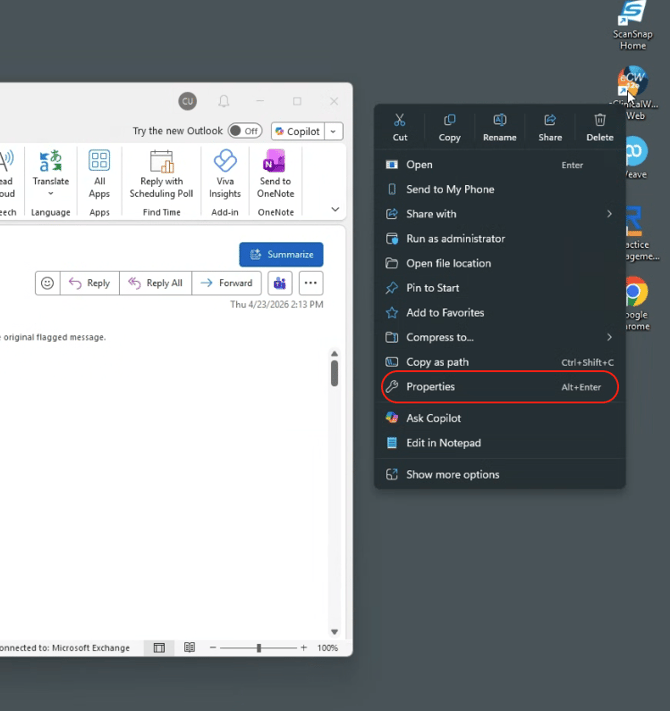
- Go to properties.
- Copy the web address in the Target field. The link will begin with https and look like this:
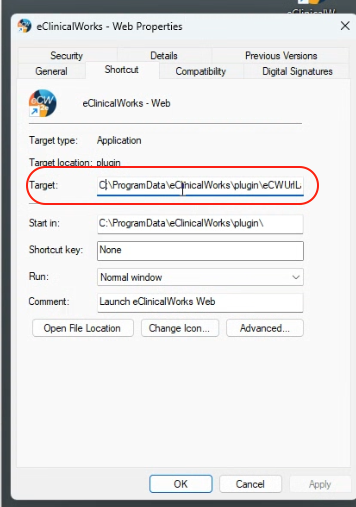
- Copy the URL into Chrome or Edge and log in.
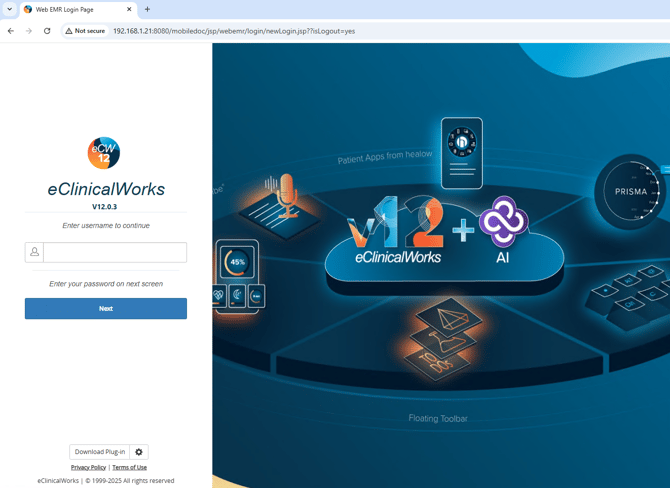
- Create a tender type called POS+ in ECW for reconciliation.
Support
- Turn off two factor authentication where possible. This can prevent POS+ access.
- Ensure the software username and password in the POS+ portal are always up to date. This can prevent POS+ access
- If the integration does not work AND you are on the correct invoice page in the software, please contact POS+.