.png?width=300&height=300&name=Untitled%20design%20(6).png)
Overview
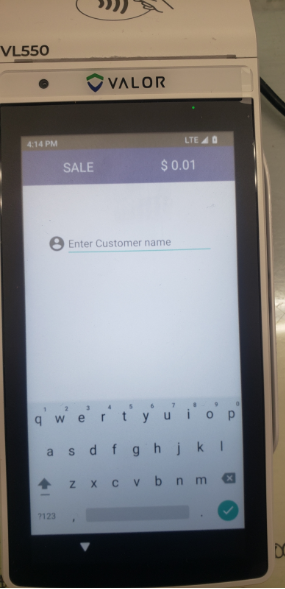
A merchant may report that their Valor terminal prompts them to enter a customer name when processing a sale.
This typically occurs when the Vault Card Saver feature is enabled on the terminal. Disabling Vault Card Saver will remove the customer's name prompt.
After disabling Vault Card Saver:
- Have the merchant process a test sale.
- Confirm that the terminal no longer prompts the customer's name.
- If the prompt continues, verify that Vault Card Saver is disabled on the specific terminal being used.
Additional Notes
- Disabling Vault Card Saver stops the terminal from prompting the customer's name during a sale.
- The setting is changed at the terminal level.
- If the merchant has multiple Valor terminals, the setting may need to be disabled individually on each affected device.
Example of message displayed on terminal: