.png?width=300&height=300&name=Untitled%20design%20(6).png)
Overview
VCI is an ACH solution that integrates with the Accept.Blue and Envoy (NMI) gateways.
Documents to Send to the Rep
Provide the following documents to the sales rep:
These forms are also located in the Sales Resources dashboard.
Documentation Required from the Rep
The rep should submit the following to Sales Support:
-
Completed & signed VCI application
-
Voided check
-
Three (3) months of bank statements
-
Driver’s License
-
ACH Authorization Form
Submission Process
Once the signed VCI application and supporting documentation are received:
-
Send all documents to: applications@vericheck.com
HubSpot Process Requirements
Upload Documents
Add the VCI app & supporting docs into the HubSpot account and note progress on the approval process.
Once ACH is approved, copy & paste the New Merchant Setup Information into a note within the company page
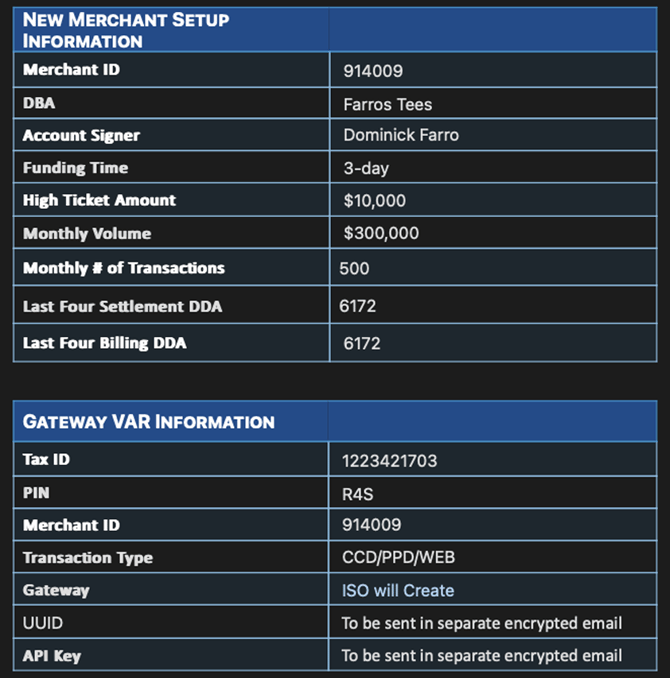
Figure 1: New Merchant Info Setup
Add VCI ACH under Additional Service in Pricing tab of company within HubSpot.

Figure 2: Pricing Details