.png?width=300&height=300&name=Untitled%20design%20(6).png)
About
Wayne Reaves Pro DMS is a powerful, all-in-one dealer management system (DMS) built to simplify daily operations for independent auto dealerships. Manage inventory, sales, accounting, and reporting, all from one seamless platform.
Website: Wayne Reaves
Important Notes
Once a payment flow has been built for a software, it becomes available to all users.
Critical Notes
Partners are responsible for the development costs needed to support any additional version.- By default, Wayne Reaves is run as Administrator. We recommend turning it off.
- Right-mouse click on the desktop shortcut, click the button “Advanced”. Uncheck “Run as administrator” and click “OK”.
- Add access to all users to C:\ProgramData\WRCS\ directory:
- Go to C:\ProgramData\ directory:

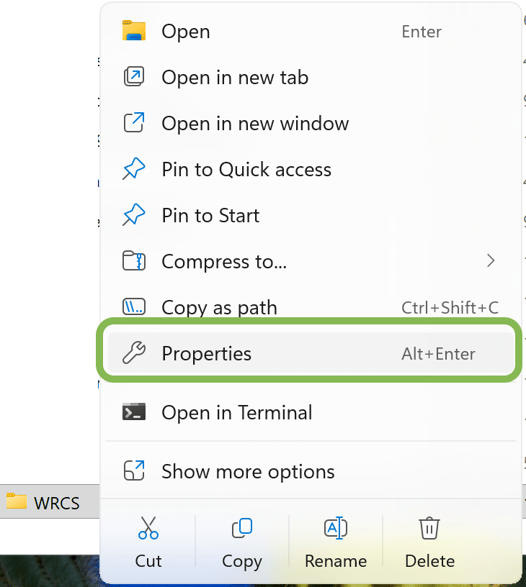
- Right-click on the directory WRCS\, click Properties
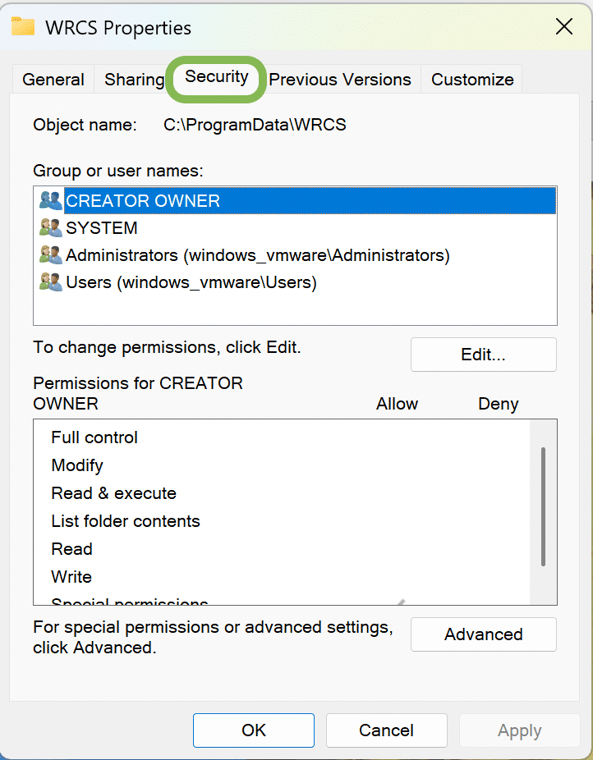
- Go to tab Security
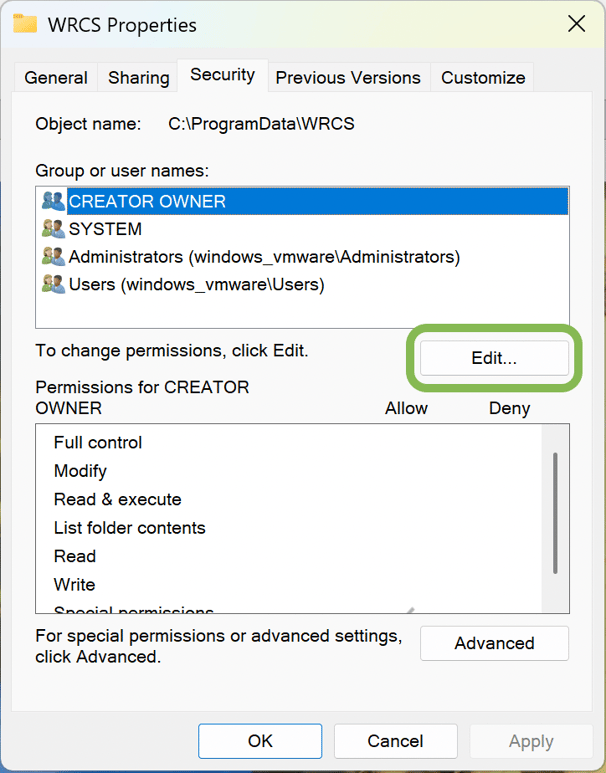
- Click Edit…
- Click Users(<machine_name>\Users) and check Full control. Click OK
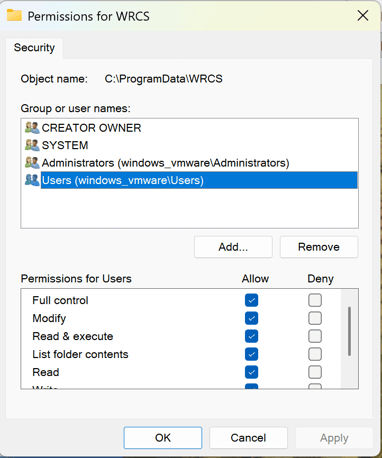
- Click OK
Marketing Demo Video
Browser Extension
Demo Video- On Prem- Wayne Reaves
Integration Type
This integration requires the On- Prem software to be installed.
Support
- Moving the mouse or typing on the keyboard while POS+ is running a payment activity might cause POS+ to fail. Therefore, inform the merchant not to engage in these activities while running a transaction through POS+. If the transaction fails, simply retry the operation and remove hands from the mouse and keyboard for a few seconds.
- If the user’s machine is too slow, POS+ might timeout waiting for a user’s activity. While we have never seen this in practice, it is possible that people are running 20+ year old machines and the machine is simply incapable of running a POS+ integration.
- Firewalls can prevent the POS+ executable from installing. Please consult with the customer’s network personnel to overcome any obstacles.